Background
Food waste is a significant global issue — more than $29 billion worth of safe and edible food is discarded by consumers each year due to confusion over date labels, and 40% of food in the US is wasted annually, amounting to approximately $218 billion in losses.
Role
Product Designer
Team
3 Designers
PROJECT SUMMARY
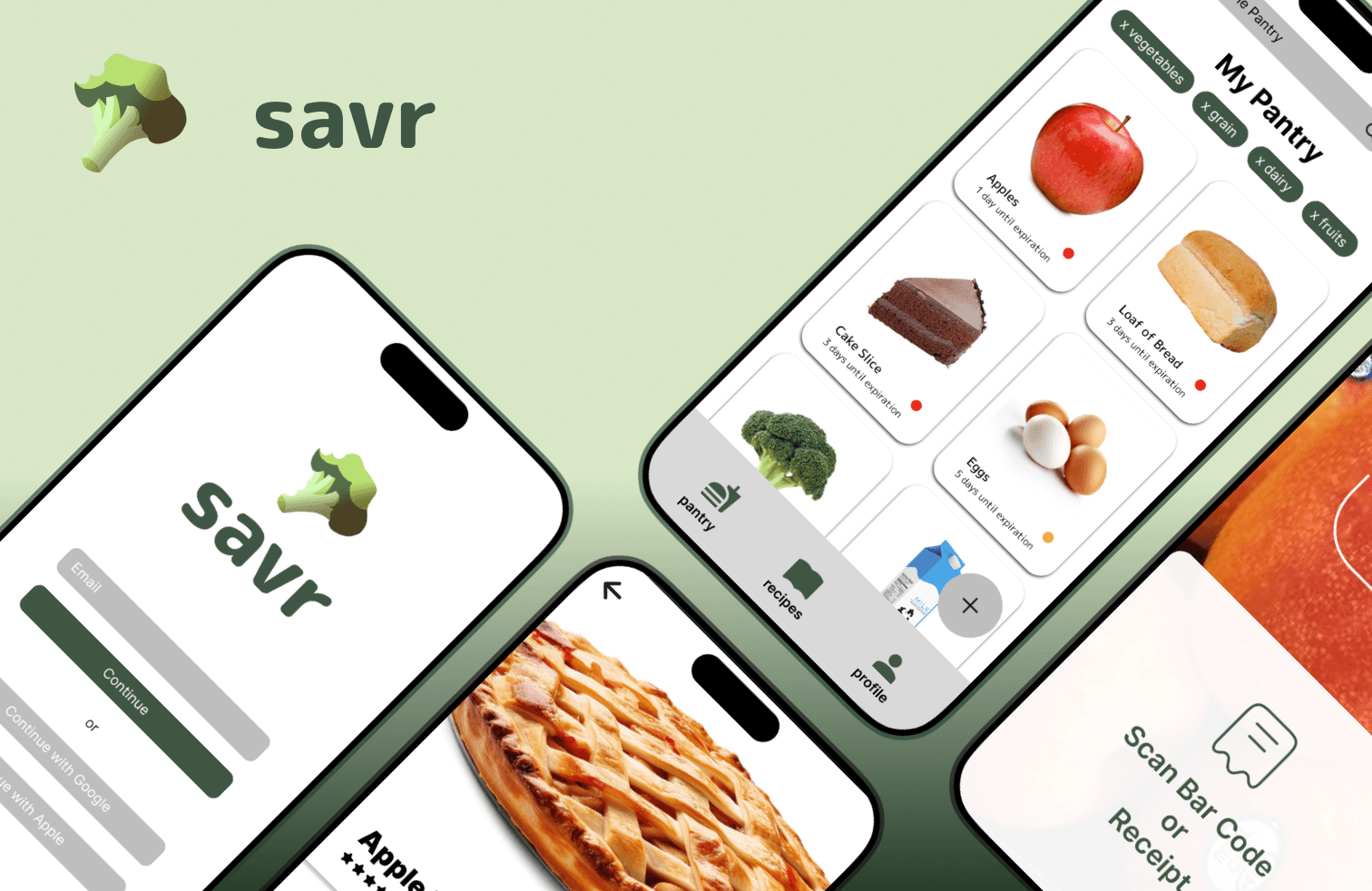
Savr is a mobile app designed to reduce food waste by tracking items in a digital pantry and notifying users of upcoming expiration dates. The project was pitched at the CSUF Design-a-thon, where the team won 1st place overall.
Smart pantry app helping users prevent waste with alerts and recipes
Creating for environmental impact
Key Insights and Objectives
Food waste is largely an awareness problem. Users weren't intentionally wasting food — they were simply forgetting what they had. A timely notification system was one of the most impactful solutions the team could design.Users wanted guidance, not instructions. Competitive analysis revealed that existing platforms told users what to do rather than giving them options. Savr prioritized giving users the ability to weigh their choices — particularly around recipes — rather than prescribing a single path.Personalization was a meaningful differentiator. With dietary preferences and eating habits becoming increasingly important, building recipe filtering around individual needs made the app more inclusive and relevant to a wider audience.Simplicity was essential. A minimalist design approach wasn't just an aesthetic choice — it was a functional one, ensuring the app felt approachable and easy to use for an audience that needed a frictionless experience to build new habits around food management.
SYMPATHIZE
Research
The team conducted research through surveys and interviews to better understand users' relationships with food management and waste. The findings painted a clear picture: users regularly forgot what food they had at home, felt overwhelmed by expiration date confusion, and wanted more than just a tracking tool — they wanted suggestions for what to do with the food they already had. Broader data reinforced the scale of the problem, with over $29 billion in edible food discarded annually and 1 in 3 households reporting waste due to poor planning. This combination of personal pain points and systemic impact gave the team a strong foundation to design from.
DEFINE
Research Insights
INSERT PHOTO
Three key insights emerged from the research.
Users consistently said that reminders about expiration dates would be helpful — the awareness gap was real and addressable through timely notifications.
Users frequently forgot what food they already had in their fridge or pantry, pointing to the need for a simple, accessible digital inventory.
Users expressed a desire for recipe suggestions and sustainable storage tips — they didn't just want to be told their food was expiring, they wanted actionable ideas for using it up. Together, these insights shaped Savr's core feature set: a digital pantry, expiration alerts, and a recipe recommendation engine.
THE PROBLEM
"How might we create a website for Aggie Peer Counseling that clearly communicates the organization's mission and resources while making students feel safe, welcomed, and supported?"
Through their work with the client, the team narrowed the focus to three core needs: providing clear program information, establishing a soft and approachable visual identity, and ensuring students could easily find mental health resources and ways to get involved.
IDEATION
Feature Breakdown
INSERT PHOTO
During ideation, the team evaluated which content sections and features were essential to include across the site. Weighing each element against its importance to the user and feasibility within the project scope, the team prioritized content that directly served prospective student members — program details, mentor-mentee information, mental health resources, wellness activities, and clear contact options. This process helped the team stay focused and avoid overloading the site with content that would detract from its calm and accessible tone.
Sketching
INSERT PHOTO
The low-fidelity stage focused on sketching out the pages and determining what content and elements belonged where. After landing on the morning-day-night illustration concept, the team returned to the sketchpad to brainstorm three distinct hero images — one for each landing page — that would anchor the visual identity of the site. This stage was about establishing structure and content hierarchy before committing to any visual details, ensuring that the most important information for prospective members surfaced clearly and logically across the site.
PROTOTYPE
User Flow
INSERT PHOTO
The team mapped out a user flow to define how a prospective student would navigate through the site from entry to action. The flow guided users from the homepage — where they would be introduced to APC's mission and visual identity — through pages covering program details, mentor-mentee information, mental health resources, wellness activities, and contact options. The user flow ensured that each page had a clear purpose and that the path to critical information, particularly emergency resources, was direct and intuitive.
Mid-Fidelity
INSERT PHOTO
Moving into mid-fidelity, the team's primary focus was on balancing space and information density to create a layout that felt calm rather than overwhelming. This stage involved refining the navigation menu, determining what content to include, and using soft, rounded components to establish the gentle, welcoming tone the client had envisioned. The team then conducted usability testing with both the client and non-member users, asking participants to navigate the site and share feedback on clarity, layout, and ease of use. The results were mixed in helpful ways — users found the basic information structure easy to navigate and appreciated the modularity of the layout, but flagged issues with call-to-action clarity, content density in some modules, and confusion around certain homepage illustrations that were mistaken for navigational flow elements.
Branding
INSERT PHOTO
The design system for APC was built to reflect the organization's core tone: soft, playful, warm, and guiding. The color palette leaned heavily into nature-inspired, low-contrast hues that supported a sense of calm and relaxation while remaining readable across all UI elements. Typography paired a serif typeface for headings with a sans-serif for body text, creating clear hierarchy and accessibility without sacrificing consistency. Custom character illustrations — including cow imagery tied to UC Davis's brand identity — added a personalized and friendly touch that made the site feel approachable rather than clinical. Every element of the design system was intentional in service of one goal: making students feel safe the moment they landed on the page
TEST
User Testing
INSERT PHOTO of changes
The team scheduled a meeting with the client and a handful of non-member users to test the mid-fidelity interface, evaluating the flow and the information included across the site. Participants were asked to navigate the site, complete specific tasks, and share their thoughts on clarity, layout, and ease of use. The team observed each session and took notes on where users hesitated or expressed confusion. Positive feedback highlighted that users could easily understand the basic information structure and appreciated the modular layout. Areas for improvement centered on call-to-action clarity, density in certain modules, and homepage illustrations that some users mistook for interactive flow elements rather than decorative visuals. These insights directly informed the refinements made before moving into the final high-fidelity designs.
FINAL PROTOTYPE
INTRODUCING: APC !
INSERT GIFS of Prototype
The final prototype brought together all elements of the design system into a cohesive, emotionally considered website. The soft color palette, rounded components, and custom illustrations worked together to reinforce APC's gentle and welcoming brand tone, while clear typographic hierarchy ensured that critical information — including the club's mission and emergency SOS access — was immediately visible and easy to understand. Interactive elements like forms and wellness activities were woven in naturally, aligning with the site's playful yet intentional visual language. The final design was also structured and documented clearly enough to facilitate a smooth hand-off to the development team for build-out.
REFLECTION
Handoff Day
INSERT PHOTOS
The final presentation marked the culmination of the team's work, walking the client through the complete design process from research and ideation to the final prototype. The hand-off to the development team was a key milestone, with the design system and documentation prepared to ensure a smooth and consistent translation from design to code. One area the team advocated for during this stage was a redesign of the resources page to make critical mental health information more accessible and easier to navigate — particularly for students in moments of distress. However, due to the client's preferences, the resources page was kept in its original form. The team hopes to revisit this conversation in future iterations, using ongoing usability testing data to make the case for a more accessible and user-centered layout.
Key Takeaways
The APC project reinforced three core lessons. First, designing with empathy matters — when the end goal is student well-being, every decision from navigation clarity to color choice carries real emotional consequence, and usability testing proved essential in surfacing where the design was falling short of that standard. Second, a well-built design system isn't just a visual tool — it's an efficiency tool, keeping the team aligned on consistency and making the transition from mid-fidelity to high-fidelity significantly smoother. Third, collaboration under a time constraint requires intentional division of work without losing sight of the details — the team had to split responsibilities while still maintaining visual cohesion across pages, particularly in keeping each page's illustrations distinct and unique. Together, these takeaways reflect a project that was as much about learning to work as a team as it was about delivering a polished product.
Next Steps
Looking ahead, the team is committed to continuing their collaboration with Aggie Peer Counseling beyond the initial design and hand-off phase. With the site moving toward launch, the most immediate priority is ongoing usability testing with real students to catch any friction points that only surface once the product is live and in use. One area the team has already flagged for future consideration is the resources page — internally, the team advocated for a layout redesign that would make critical mental health information more accessible and easier to navigate, particularly for students who may be visiting the site in moments of distress. However, due to the client's preferences, the resources page was kept in its original form for the current version. Moving forward, the team hopes to revisit this conversation with the client, using real usage data and continued testing feedback to make the case for a more accessible and user-centered layout. Beyond the resources page, future iterations would also look to expand the site's content as APC grows — adding new program details, updated mental health resources, and additional wellness activities to keep the platform relevant and valuable to the UC Davis student community over time.